Tryout day
How do you run tryouts when the field has no signal?
With ScoutSheet, each evaluator opens the scoring screen once while they still have a connection, and their phone keeps the tryout's players and the page itself. At the field they score with no signal: every score is saved on the phone first and sent to the league when a connection comes back. Volunteers at the check-in desk give each player a numbered tag, evaluators see players by that tag, and the Admin watches progress and gets each division's rankings once the scores are in.
What happens before tryout day?
- An Admin sets up the tryout: sessions, divisions, Eval Groups with their times and capacities, and the scoring form. The setup checklist lists anything that would hide players from evaluators.
- The Admin imports players from the registration system's CSV and, if the league wants, emails families a private link to pick an Eval Group.
- The Admin invites check-in volunteers by their email address and shares the tryout's five-character access key with the coaches who will evaluate. The key can be replaced at any time.
- Each evaluator signs in, joins with the key, and opens the scoring screen once while online. On an iPhone they can add it to the home screen.
- Someone prints the paper sheet for each Eval Group, in case a phone dies.
What happens at the check-in desk?
A volunteer finds the player by name, checks the birth date and the divisions they are eligible for, confirms the Eval Group, and saves. ScoutSheet gives the next number in the group, or takes the number printed on the player's pinnie, and shows the tag in large type: 24-10 means number 24, league age 10. The volunteer writes it on the player or hands over the pinnie. Several desks can check players in at once without giving out the same number.
The desk works online: every save goes straight to the server, and a failed save shows an error rather than a guessed number. A player who shows up without registering can be added on the spot.
How do evaluators score on the field?
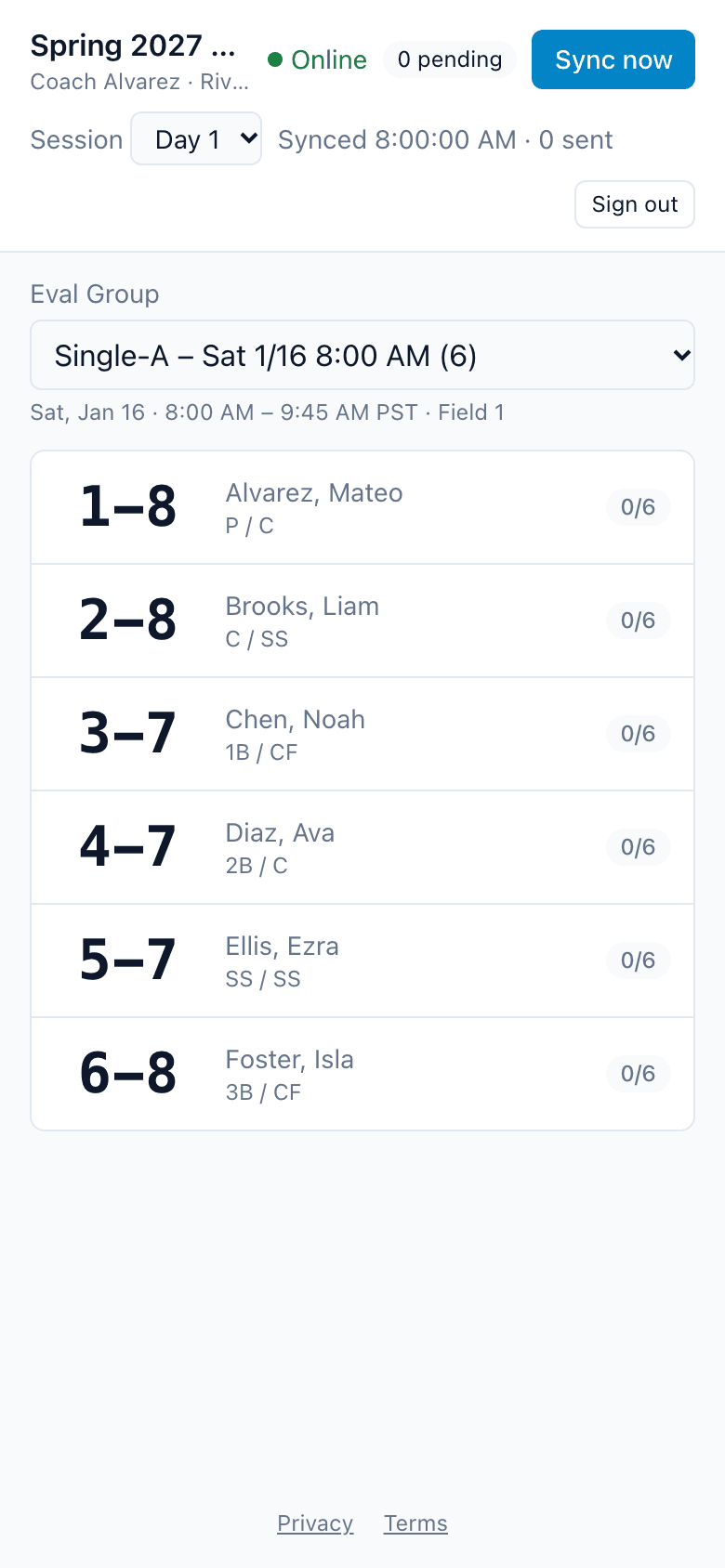
An evaluator picks their Eval Group and sees its players by tag (a player has a tag once checked in). They tap a player and enter a rating, a time or a choice for each criterion, with an optional note. As players arrive at the desk, the phone picks them up on its next sync and shows how many are new, without changing the player on screen.
What if there is no signal?
Scoring carries on. Each score is written to the phone and to a queue of scores waiting to be sent, in one step, and the header shows Offline and how many are waiting. When the phone is back online it sends them on its own, every 30 seconds, or right away with Sync now.
- No sign-in or permission problem ever deletes a queued score. An expired sign-in pauses sending, and the phone says how many scores it is holding until the evaluator signs in again.
- Scores on a phone belong to the person who made them. If someone else signs in on that phone, the previous person's tryout data is cleared, but their unsent scores are kept for them.
- A score made before the tryout closed, or before an evaluator was removed, still counts if it reaches the server within 48 hours.
- Player photos are shown only while online; the phone doesn't keep them.
What if a phone dies?
The evaluator switches to the Eval Group's printed sheet: players in tag order and a blank column per criterion, with a line for the evaluator's name. Afterward an Admin opens that group's paper entry grid, picks the session and the name on the sheet, and types the scores in. They count in every ranking like anyone else's.
How does the Admin know everyone is being scored?
The progress page shows each Eval Group's check-ins against the players expected, the tags still missing, the checked-in players nobody has scored yet, and when each evaluator last synced. An evaluator who hasn't synced for 20 minutes is flagged. The page refreshes every 30 seconds.
What happens after the last group?
- The Admin closes the tryout. Nothing new can be scored or checked in, and late scores from before the close have 48 hours to arrive.
- The Admin reads each division's ranking, checks the evaluator bias flags, and corrects or voids a score if one was entered wrong. Weights can still change, and the rankings recompute.
- The Admin releases a division's results to its evaluators when ready.
- The draft export gives a CSV of every registered player in the division, with attendance, tags, each criterion per session and the rank.
Every feature is described on the features page.
Ready to run your next tryout?
A league board member asks for a league, and the operator approves it. You are then the league's first Admin and can invite your check-in volunteers.