Paper sheets and paper-score entry
When phones aren't an option, print an Eval Group's score sheet, let an evaluator fill it in by hand, and have a league Admin type the scores back in afterwards. Paper scores count in the rankings like any evaluator's, under a paper evaluator named after the name written on the sheet.
Who can do what
| Step | Who |
|---|---|
| Print an Eval Group's sheet | League Admins and Check-in volunteers |
| Enter paper scores, add a paper evaluator | League Admins |
Printing a sheet
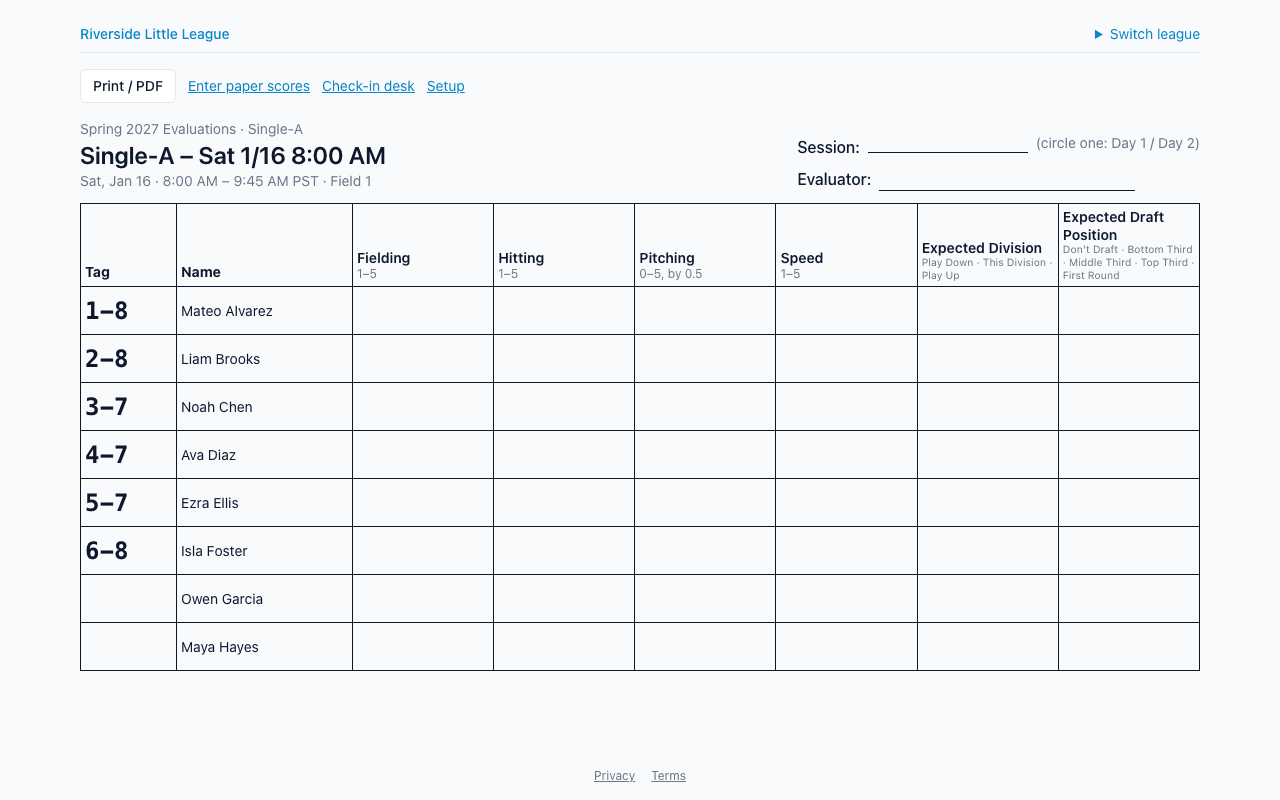
Open the sheet from the Setup page (Print sheet on an Eval Group's row) or from the check-in desk (Print sheet for the selected group, or Print under Counts per Eval Group), then press Print / PDF. It prints on letter paper in landscape, about 20 rows a page, with the heading repeated on each page.
The sheet has:
- the tryout, division, Eval Group, time and location;
- the session (or the sessions to circle) and a blank Evaluator line;
- one row per player: numbered players by tag first, then players without a number with a blank tag;
- one blank column per criterion, headed with its scale, unit or option labels.
It shows tags and names only: no birth dates, contacts, photos or scores. Print it after check-in, so the tags are filled in.
How do I enter paper scores?
- Open Enter paper scores from the sheet or from the Eval Group's row on the Setup page.
- Pick the Session and the Paper evaluator written on the sheet. To add one, type the name under New paper evaluator (for example "Paper – Coach Kim") and press Add. The same name in any capitalisation is the same paper evaluator.
- Type each value into the grid. Choice criteria are a list to pick from. Only players with a number are listed, in tag order.
- Press the Save button, which shows how many changes you made.
Each box is checked as you type against the criterion's scale. If any box is invalid, nothing is saved until you fix it. Saving again edits the same scores, and clearing a box removes that score. Paper scores have no notes.
Paper evaluators never sign in or sync; they exist only so their scores count and show in reports, bias flags and aggregates like anyone else's. They don't appear on the Evaluators page.
You can enter paper scores on an open or a closed tryout. Once the season is closed, its scores are an archive and can't change. Each save is recorded in the league's audit log, with counts.