Your Eval Group signup link
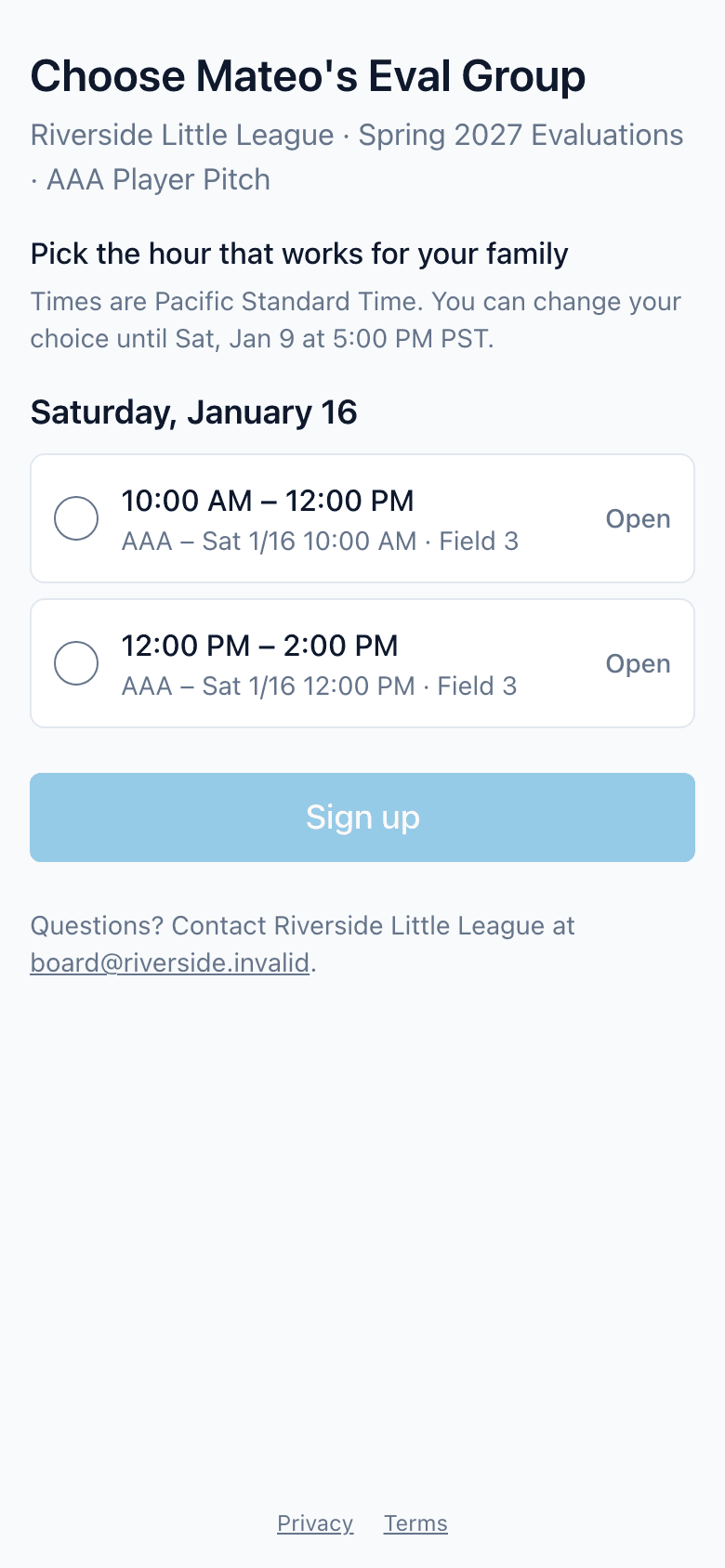
If your league uses ScoutSheet for tryouts, it may email you a private link to choose your child's Eval Group: the hour-long group your child tries out in. Open the link, pick a time that works, and press Sign up. You don't need an account, and you can change your choice from the same link until the signup deadline in the email.
How do I choose a group?
- Open the link in the email from "your league via ScoutSheet".
- The page shows your child's first name, their division, and the division's Eval Groups by day, each with its time and location. Times are in your league's time zone.
- Pick a group marked Open and press Sign up. A group marked Full can't be chosen.
ScoutSheet then emails a confirmation, with the group, its time and its place, to the parent addresses your league has on file. If you didn't make the change, reply to that email so the league can help.
Can I change it?
Yes, until the signup deadline. Open the same link, pick another group and press Change Eval Group. Each change sends a new confirmation.
Siblings
If you have more than one child trying out, the email has one link per child. Each link changes only that child's group.
Keep the link to yourself
Anyone who has the link can change your child's group until the deadline, so please don't forward it. If it was shared by mistake, ask your league to send a new link; the old one stops working once the new email goes out.
What the messages mean
- A newer email was sent: your league sent a newer email for this child. Use the link in that one.
- This link isn't valid: the link is out of date or incomplete. Links work only from the newest email, and only until a while after the deadline. Ask your league for a new one.
- Signup is closed: the deadline has passed. The page shows your child's current group. To change it, reply to the league's email.
- Checked in: your child has already checked in at tryouts. The check-in desk can help on the day.
- Tryouts are over: the tryout is closed.
- Signup isn't open: your league hasn't opened signup for this tryout yet.
What does the league share?
The emails and the page show only your child's first name, their division and the groups. No last name, birth date, photo or score. The page uses no advertising or analytics trackers. Questions about your child's information go to your league; see the privacy policy for what ScoutSheet holds.
Related
- Privacy policy
- Eval Group signups and emails (for league Admins)